

Directus is a headless CMS that allows you to create data models composed of fields of your choice. The interface is excellent and allows you to do almost everything you could do with a traditional framework.
But what if you want to create your Collections and fields programmatically to save time? Here is our method for creating your Collections via the Directus API.
Collections and fields
Collections in Directus are organized groups of similar content items, comparable to tables in a database. They allow for the coherent and flexible structuring and management of data.
Each collection is composed of several fields, which are individual fields precisely defining the specific attributes or properties of each entry (text, date, number, file, relation, etc.). These fields are configurable and ensure the uniform and structured entry of information in Directus.
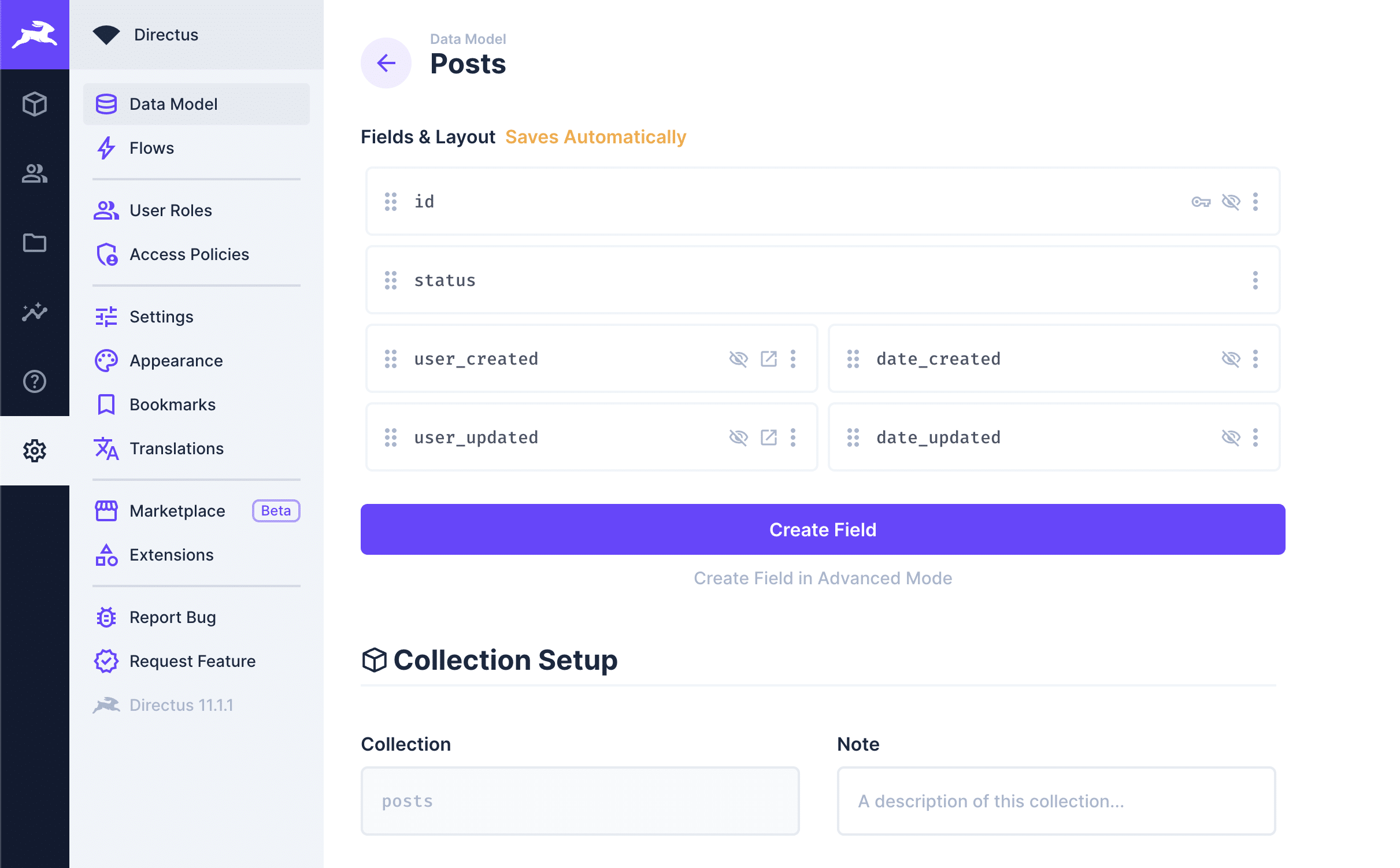
These fields can be easily created via the interface, but when you want to create numerous collections each with dozens of fields, the programmatic approach becomes the most efficient.
Collection structure
Indeed, Directus offers an API that allows you to create Collections without using the interface. Let's imagine we want to create two collections posts and events. We will start with a JSON:
[
  {
    "name": "posts",
    "displayName": "Posts",
    "icon": "article",
    "singleton": false
  },
  {
    "name": "events",
    "displayName": "Events",
    "icon": "event",
    "singleton": false
  }
]
This JSON specifies the name of the collection, its icon, and that the collection hosts multiple objects.
Create the collection via the API
Some technical prerequisites to create your collections:
- Node.js installed
.envfile properly configured withDIRECTUS_URLandDIRECTUS_TOKENdatafolder containingcollections.json
Interested in switching to Directus?
Interested in switching to Directus?
Here is our script that will allow you to create your collections:
Note that in this script, I am directly using the API without using the Directus SDK. This choice is intentional because the SDK changes depending on the versions and the documentation is sometimes not up to date. By directly using the API with a standard request, we avoid these version changes, and the script will continue to work even as the SDK evolves.
require('dotenv').config();
const axios = require('axios');
const fs = require('fs');
const path = require('path');

function createApiClient(directusUrl, token) {
  return axios.create({
    baseURL: directusUrl,
    headers: {
      'Content-Type': 'application/json',
      'Authorization': `Bearer ${token}`
    }
  });
}

function loadJsonData(filePath) {
  return JSON.parse(fs.readFileSync(filePath, 'utf8'));
}

async function createCollection(api, collection) {
  return api.post('/collections', {
    collection: collection.name,
    meta: {
      icon: collection.icon,
      display_template: '{{name}}',
      hidden: false,
      singleton: collection.singleton,
      translations: [{ language: 'fr-FR', translation: collection.displayName }]
    },
    schema: { name: collection.name }
  });
}

async function run() {
  const directusUrl = process.env.DIRECTUS_URL;
  const token = process.env.DIRECTUS_TOKEN;
  if (!token) {
    console.error('ERROR: DIRECTUS_TOKEN must be set in your .env file');
    process.exit(1);
  }

  const api = createApiClient(directusUrl, token);
  const collectionsPath = path.join(__dirname, 'data', 'collections.json');
  const collections = loadJsonData(collectionsPath);

  for (const collection of collections) {
    try {
      const response = await createCollection(api, collection);
      console.log(`Created collection: ${collection.name}`);
    } catch (error) {
      console.error(`Failed to create collection ${collection.name}:`, error.message);
    }
  }
}

run();
You can also add fields when creating Collections with the fields key.
This approach will allow you to create all your collections in no time, and you are free to go back through the interface to adjust your collections if needed.
Error management and logging
The script logs the result of each collection creation in your terminal. If a collection fails (duplicate name, connection issue, expired token), the error message shows up without interrupting the rest of the script. Check these logs to figure out what went wrong.
Once the script is in place, creating ten collections or a hundred takes the same amount of time. And if you switch Directus instances, just update the .env and run it again.


